
iOS 27.2 lets you block selected apps from Siri, Search, and suggestions. Here is the exact iPhone setting and what the restriction really changes.
Category Archives: Apple
How to run Android APK in Mac Silicon ?

To run an Android APK on a Mac with Apple Silicon, you will need to use an Android emulator that supports the ARM architecture. Currently, the most popular Android emulator for macOS, Android Studio with its Android Emulator, does not support Apple Silicon natively. However, there are alternative emulators that you can try. One such Continue reading “How to run Android APK in Mac Silicon ?”
How To Backup iPhone, iPad or iPod Touch with iCloud or iTunes

How To Backup iPhone, iPad or iPod Touch with iCloud or iTunes How important is the data kept on your phone? Do you have a lot of memories, be it photographs of some memorable events or important documents stored on your device? Most people do not realise the importance of frequent backup until they Continue reading “How To Backup iPhone, iPad or iPod Touch with iCloud or iTunes”
The 5 Best Apps That Integrate With Apple Healthkit in iOS 8

The 5 Best Apps That Integrate With Apple Healthkit in iOS 8 Apple’s iOS 8 comes with the new feature that integrates with health and fitness products so that your iOS device will be able to connect to the information through a new service called Healthkit. All those data, like the distance you have walked, Continue reading “The 5 Best Apps That Integrate With Apple Healthkit in iOS 8”
What Happens When You Send An iPhone 6 Into Space And Drops It Back Down To Earth

iPhone 6 Intentionally Dropped From Space There are numerous drop tests on mobile phones to see how durable the latest phones are. Urban Armor Gear did the ultimate drop test by flying an iPhone 6 into space and intentionally drops it back down to earth. Let’s see what happens to the phone. via Urban Continue reading “What Happens When You Send An iPhone 6 Into Space And Drops It Back Down To Earth”
How To Block Annoying Pirate Kings Invites On Facebook With iPhone And iPad

Step-By-Step Guide To Block Annoying Game Requests On iPhone And iPad If you have been on Facebook lately, you would have noticed the new kid on the block. There are at least a dozen of Pirate Kings requests sent in each day bombarding my inbox relentlessly. Instead of unfriending my friend list, I have found Continue reading “How To Block Annoying Pirate Kings Invites On Facebook With iPhone And iPad”
Mac OS X Keyboard Shortcut Cheat Sheet

Mac OS X Keyboard Shortcut Cheat Sheet Learning keyboard shortcuts is one of the easiest way to enhance your productivity and get the work done faster. Mac OS supports a number of keyboard shortcuts so that you can perform a function right from the keyboard without lifting your hands off the keyboard. Even though Continue reading “Mac OS X Keyboard Shortcut Cheat Sheet”
Best QR Code Reader for iPhone

Best QR Code Reader for iPhone QR code, a two dimensional matrix, also known as “quick response” barcode is rapidly growing in recognition worldwide, by instantly transporting QR code users from a real-world experience to customized web content. It can be easily scanned from a camera phone equipped with the appropriate reader. The only Continue reading “Best QR Code Reader for iPhone”
How to Factory Reset a Mac
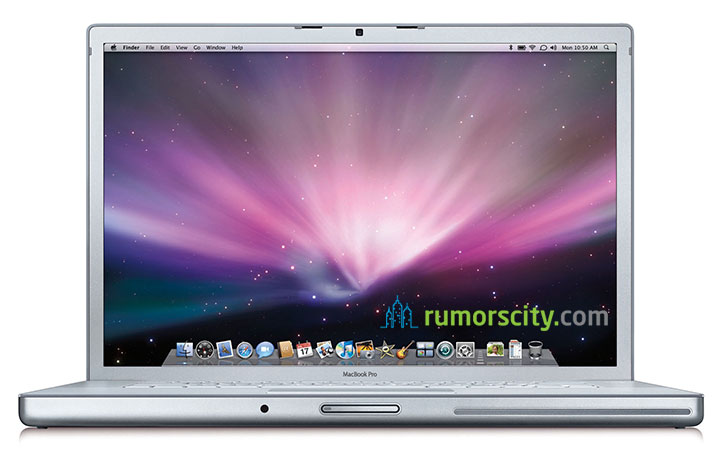
How to Factory Reset a Mac Most Mac users will sell off their old Macs after few years of usage, and top up the difference to get a new one. Usually what happened is, they will forget to clear off their personal data before selling, leaving it vulnerable to misuse. Here, we will show you Continue reading “How to Factory Reset a Mac”
How to Create an OS X Mavericks Bootable USB and Clean Install on Your Mac

How to Create an OS X Mavericks Bootable USB and Clean Install on Your Mac The newest version of OS X Mavericks can be upgraded via the Mac App Store now for free. Over 200 new features have been also released in this new OS X. It provides a boost in performance to your computer Continue reading “How to Create an OS X Mavericks Bootable USB and Clean Install on Your Mac”